Streams
Streams are the operational configuration layer under a program. A stream connects a program to agreement types, eligible recipients, funding budgets, cost line items, commitments, review generation, approval routes, recommendation setup, risk ratings, monitor types, document templates, areas of expertise, financial limits, and stream-specific extensions.
Most agreement and runtime behavior is stream-driven. A program can exist without a stream, but a production agreement workflow normally cannot.
Stream List And Navigation
Streams are managed from the program detail page on the Streams tab. The table is scoped to the current program and supports create, edit, delete, and wizard creation when the user can update the program's child setup.
Opening a stream navigates to a stream detail page with its own collapsible hero, breadcrumb trail, and vertical tabs. The stream page still inherits the parent program and agency scope for authorization.
Quick Stream Modal
The standard stream modal creates or edits the stream record only. It captures:
- English and French name.
- English and French abbreviation.
- Optional parent stream from the same program.
- English and French objective.
- Allows further distribution flag.
- English and French description.
- Status, defaulting to draft.
The parent stream must belong to the same program. Use parent streams only to model program structure; runtime setup records are still configured on the stream where agreements and reviews will be created.
Stream Wizard
The stream wizard creates the stream and several child setup collections together. It is useful for first-time stream setup because it enforces cross-record rules before any partial setup is saved.
The wizard steps are:
- General: stream identity, parent stream, descriptions, objectives, further-distribution flag, and status.
- Budgets: stream budget rows linked to program fiscal-year budget rows.
- Recipients: eligible applicant recipient subtypes.
- Cost lines: agency cost category line items and stream cost-sharing ratios.
- Amendment types: amended entity category plus bilingual type name.
- Amendment subtypes: subtype name and description linked to one wizard amendment type.
- Agreement subtypes: agency agreement types allowed for the stream.
- Commitments: financial coding rows tied to a program fiscal-year budget.
- Monitor types: bilingual monitoring record types.
- Areas: bilingual areas of expertise for review/assessment assignment.
- Financial limits: optional max-per-recipient, support percentage, retroactive-cost percentage, stacking limit, and status.
- Review: summary of the configured stream setup.
The visible wizard steps focus on the stream's core program setup data. Configure review setups, recommendation setups, approval templates, assessment schemas, and extensions from the stream detail tabs after the stream exists.
Stream Wizard Validation
The wizard prevents common setup conflicts:
| Rule | Behaviour |
|---|---|
| Stream budgets are one row per program budget | A program budget can be selected only once. |
| Recipient subtype selections must be unique | Duplicate eligible recipient subtype rows are blocked. |
| Cost category line item selections must be unique | Duplicate stream cost line rows are blocked. |
| Amendment type uniqueness uses category and bilingual name | Two amendment types cannot share the same amended category and bilingual name combination. |
| Amendment subtypes must point to a current amendment type | Removing an amendment type invalidates subtypes attached to it. |
| Amendment subtype names must be unique within their type | Duplicate subtype names are blocked under the same amendment type. |
| Agreement subtype selections must be unique | Duplicate agreement subtype mappings are blocked. |
| Monitor type names must be unique | Duplicate bilingual monitor type names are blocked. |
| Areas of expertise must be unique | Duplicate bilingual area names are blocked. |
| Review and recommendation setups must not conflict | Active setups cannot duplicate order or bilingual names within the same entity type. |
| Selected records must belong to the correct parent | Parent streams and program budgets must belong to the program; agency-owned choices must belong to the program's agency. |
Stream Detail Tabs
The stream detail page exposes these tabs:
- General.
- Budgets.
- Eligible Recipients.
- Cost Category Line Items.
- Amendment Types.
- Amendment Subtypes.
- Agreement Subtypes.
- Commitments.
- Monitor Types.
- Risk Ratings.
- Areas of Expertise.
- Financial Limits.
- Review Setups.
- Approval Templates.
- Document Templates.
- Recommendation Setups.
- Extensions.
Each setup tab uses the same add/edit/delete pattern: a resource table, a modal or editor, validation, and soft-delete where delete is supported.
General Tab
The General tab shows the stream identity and descriptive fields:
- Parent stream.
- English and French name.
- English and French abbreviation.
- English and French objective.
- Allows further distribution.
- English and French description.
- Status.
Edit these fields from the stream page action or from the parent program's Streams tab.
Budgets Tab
Stream budgets allocate part of a program fiscal-year budget to the stream. Each row contains:
- Program budget.
- Total budget.
- Overcommit threshold.
Configure program budgets before stream budgets. Agreement funding and commitment setup depend on the fiscal-year budget structure being present.
Eligible Recipients Tab
Eligible recipients define which agency applicant recipient subtypes can be used for the stream. Each row selects one agency applicant recipient subtype.
This tab is a runtime gate: it limits the proponent/recipient types that should be available when downstream agreement or intake flows are configured for the stream.
Cost Category Line Items Tab
Cost category line items expose agency cost line items to the stream. Each row contains:
- Agency organization cost category line item.
- Cost-sharing ratio.
The selected line item must belong to a cost category for the program's agency. These rows control which cost items can be used by stream-specific agreement budgets and claims.
Amendment Types And Subtypes
Amendment types define the high-level amended entity category and a bilingual display name. The amended category uses the transfer payment amended-type enum.
Amendment subtypes are linked to an amendment type and add:
- English and French name.
- English and French description.
Subtypes cannot be meaningfully configured before their parent amendment type exists. In the wizard, deleting an amendment type also removes its temporary subtypes.
Agreement Subtypes Tab
Agreement subtypes map agency agreement types to the stream. Each row selects one agency agreement type.
This configuration classifies agreements for the stream and limits which agency agreement types are valid in downstream agreement creation. Agency agreement types must exist before this tab can be populated.
Commitments Tab
Commitments define financial coding rows used by agreement commitments. Each row contains:
- Fiscal year / stream budget reference.
- Fund.
- GL.
- GL description.
- Fund centre.
- Internal order.
- Functional area.
- Cost centre.
Create stream budgets before commitments so commitment rows can point to the appropriate fiscal-year budget.
Monitor Types Tab
Monitor types classify monitoring records for the stream. Each row contains an English and French name. These values become reference options for monitoring workflows attached to stream agreements.
Risk Ratings Tab
Risk ratings define the available risk labels and scores for the stream. Each row contains:
- Numeric risk score. The score must be finite and non-negative.
- English and French name.
Risk ratings can be selected or derived by agreement and assessment workflows, so keep their score scale consistent with assessment scoring and operational reporting.
Areas Of Expertise Tab
Areas of expertise support assignment and classification of review work. Each row contains:
- English and French name.
- English and French description.
Use these rows when the stream requires subject-matter review routing or expertise labels in assessment processes.
Financial Limits Tab
Financial limits define stream-level thresholds:
- Maximum allowable per recipient.
- Maximum percent of support available per recipient.
- Maximum percent of retroactive costs allowable.
- Stacking limit.
- Status.
The wizard treats financial limits as optional. If the stream has no financial limit row, downstream processes that rely on limit checks will not have stream-specific values to use.
Review Setups Tab
Review setups configure how assessment reviews are generated for runtime entities. A review setup has:
- Entity type.
- On-completion flag.
- English and French name.
- Order.
- Sequential flag.
- Optional approval template.
- Active flag.
- One or more review setup members.
Each member links to an assessment review schema, has an order, and can have its own optional approval template. Member rows also carry schema metadata such as schema name, outcome name, version, and status for display.
Business rules:
- Review setup members in the same setup must use unique review schemas.
- Review setup members in the same setup must use unique order values.
- On-completion generation is not allowed for entity types that only support manual review creation: funding case intake, funding case agreement, and applicant recipient.
- Active review setups cannot duplicate entity type plus order or entity type plus bilingual name.
- Review schemas must belong to the stream's agency and match the configured entity type.
Runtime implication: when enabled for supported runtime entities, the setup can generate common review work. Sequential setups control whether members are executed in sequence or in parallel.
Recommendation Setups Tab
Recommendation setups configure recommendation generation for a stream. Each setup contains:
- Entity type.
- English and French name.
- English and French description.
- Recommendation schema.
- Optional approval template.
- Active flag.
Active recommendation setups must not duplicate entity type plus bilingual name. Recommendation schemas must belong to the agency and match the entity type being configured.
Approval Templates Tab
Stream approval templates define approval routes scoped to the stream. Templates are grouped by runtime entity type and can contain ordered steps and certifications.
Use this tab when approval routes must vary by stream. Common/global templates can exist elsewhere, but stream templates are the ones usually referenced by stream review, recommendation, agreement, claim, forecast, payment, monitor, and applicant recipient workflows.
See Approval Templates for the full template and runtime approval behavior.
Document Templates Tab
Stream document templates define the source files used by agreement document generation. The tab shows entity type, English name, template kind, output formats, active status, bilingual attachments, and row actions.
Each template stores:
| Field | Rule |
|---|---|
| Entity type | Currently used by agreement generation as fundingcaseagreement. |
| English/French name | Required bilingual display name. |
| English/French description | Required bilingual description shown when users choose a template on an agreement. |
| Template kind | docx or html. |
| Output formats | One or more of docx and pdf; HTML templates are limited to pdf. |
| English/French file | Required on create. DOCX templates accept .docx; HTML templates accept .html or .htm. |
| Active | Only active agreement templates are available in the agreement Documents tab. |
Editing a template can update metadata, output formats, active status, and either language file. Replacing a language file stores a new attachment and removes the replaced attachment from normal storage. Deleting a template soft-deletes the template; generated agreement documents created earlier remain separate records.
Operational note: PDF generation from DOCX uses LibreOffice, and HTML-to-PDF uses Puppeteer. Local development can install these tools with the document generation setup command in Startup.
Assessment Schemas
Assessment schemas are reached from review setup or assessment-set rows that reference a review schema. The schema editor lets administrators maintain the scoring matrix, sections, questions, calculated questions, dependencies, outcomes, and impactors used by runtime assessments.
See Assessment Schemas for the full lifecycle and editor behavior.
Extensions Tab
Extensions control stream-specific extension settings. Extension configuration is separate from the base transfer payment setup, but it inherits the same stream, program, and agency context.
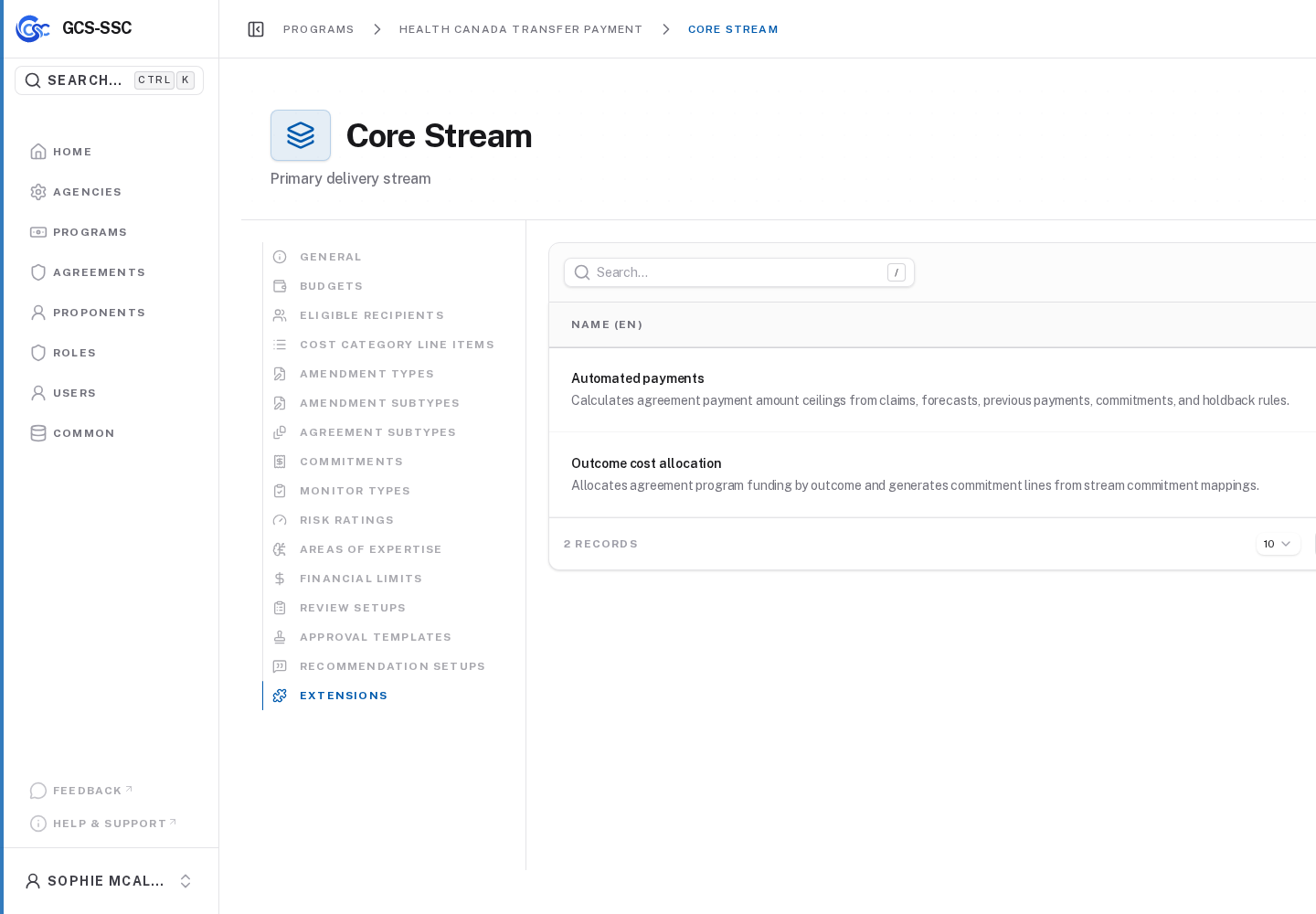
Actual screenshot from the seeded development environment. The records shown are examples only and are not created in a fresh installation.
Runtime Dependencies
Downstream workflows read stream setup in different ways:
- Agreement creation depends on agreement subtypes, eligible recipients, budgets, financial limits, and stream identity.
- Claim and cost workflows depend on cost category line items and cost-sharing ratios.
- Commitment and payment workflows depend on budget and financial coding rows.
- Review workflows depend on active review setups and active/published assessment schemas.
- Approval workflows depend on referenced approval templates and their default users.
- Agreement document generation depends on active stream document templates and configured document generation tools for PDF output.
- Recommendation workflows depend on active recommendation setups and schemas.
- Monitoring workflows depend on monitor types and, where configured, review or approval setup.
Because setup is modular, a stream can be saved before it is operationally complete. Administrators should validate the whole runtime path that will be used before creating production agreements.
Minimum Useful Stream
For a fresh installation, a minimum practical stream usually has:
- General stream profile with status set appropriately.
- At least one program budget and one stream budget.
- Eligible recipient subtype rows.
- Agreement subtype rows.
- Cost category line item rows if costs or claims will be used.
- Financial coding commitments if commitments or payments will be used.
- Risk ratings if risk selection or assessment scoring uses stream risk.
- Review setups and assessment schemas if reviews are generated.
- Approval templates if approvals are required.
- Document templates if users will generate agreement documents.
- Recommendation setups if recommendations are generated.
- Extension settings required by the deployment.