Agreements
Agreements are funding case agreement profiles under a transfer payment stream. They connect the program configuration, agency reference data, applicant/recipient records, budget, execution records, monitoring, claims, payments, completions, and approval routing slips.
Creation prerequisites
An empty installation must be configured before agreement creation can succeed:
| Area | Required setup |
|---|---|
| Agency | Owning agency, fiscal years, address types, agreement types, users, roles, and agreement permissions. |
| Transfer payment program | Program profile and at least one stream. Agreement access is scoped through the program, stream, and agreement path. |
| Stream configuration | Stream budgets by agency fiscal year, agreement subtype mappings, stream commitments, risk ratings when risk score selection is used, outcomes, monitor types, optional document templates, and optional approval templates. |
| Applicant/recipient | At least one active applicant/recipient profile. Agreement creation requires one or more applicant recipient ids. |
| Common workflow | Completion is available for supported execution entity types. Approval sections appear only when the record reaches approval states and a valid stream-scoped approval template exists for the entity type. |
| Document templates | Required only when agreement document generation will be used from the Documents tab. |
List and create pages
The Agreements list shows records the user can read and opens the agreement detail page. Create opens the new agreement form.
The create form stores:
| Field group | Notes |
|---|---|
| Stream and subtype | The stream must exist under an active transfer payment profile. The selected agreement subtype must belong to that stream. |
| Core identifiers | Agreement number is required and limited to 15 characters. Financial system number is required and must be numeric. |
| Bilingual content | English and French title and description are required. |
| Assistance period | Start and end dates are required. End date cannot be before start date. |
| Funding controls | Further distribution flag, holdback percentage from 0 to 100, and holdback basis of agreement total or final fiscal year. |
| Risk score | Optional. When supplied, the score must match a configured stream risk rating. |
| Applicant/recipient links | Creation requires at least one selected applicant/recipient and rejects duplicate ids. |
Detail workspace
The agreement detail workspace opens in editable mode when the user can update the agreement. Otherwise, the General tab and child tabs render read-only details and hide create, update, and delete actions.
| Tab | Page |
|---|---|
| General | Agreement profile, program context, stream, subtype, risk, dates, holdback, and bilingual content. |
| Addresses | Addresses |
| Proponents | Proponents and applicant-recipients |
| Budget | Budget |
| Commitments | Commitments |
| Payments | Payments |
| Forecasts | Forecasts |
| Claims | Claims |
| Monitors | Monitors |
| Documents | Documents |
| Activities | Activities |
Extension tabs can appear on the agreement, claim, monitor, commitment, and payment surfaces when an installed extension registers them.
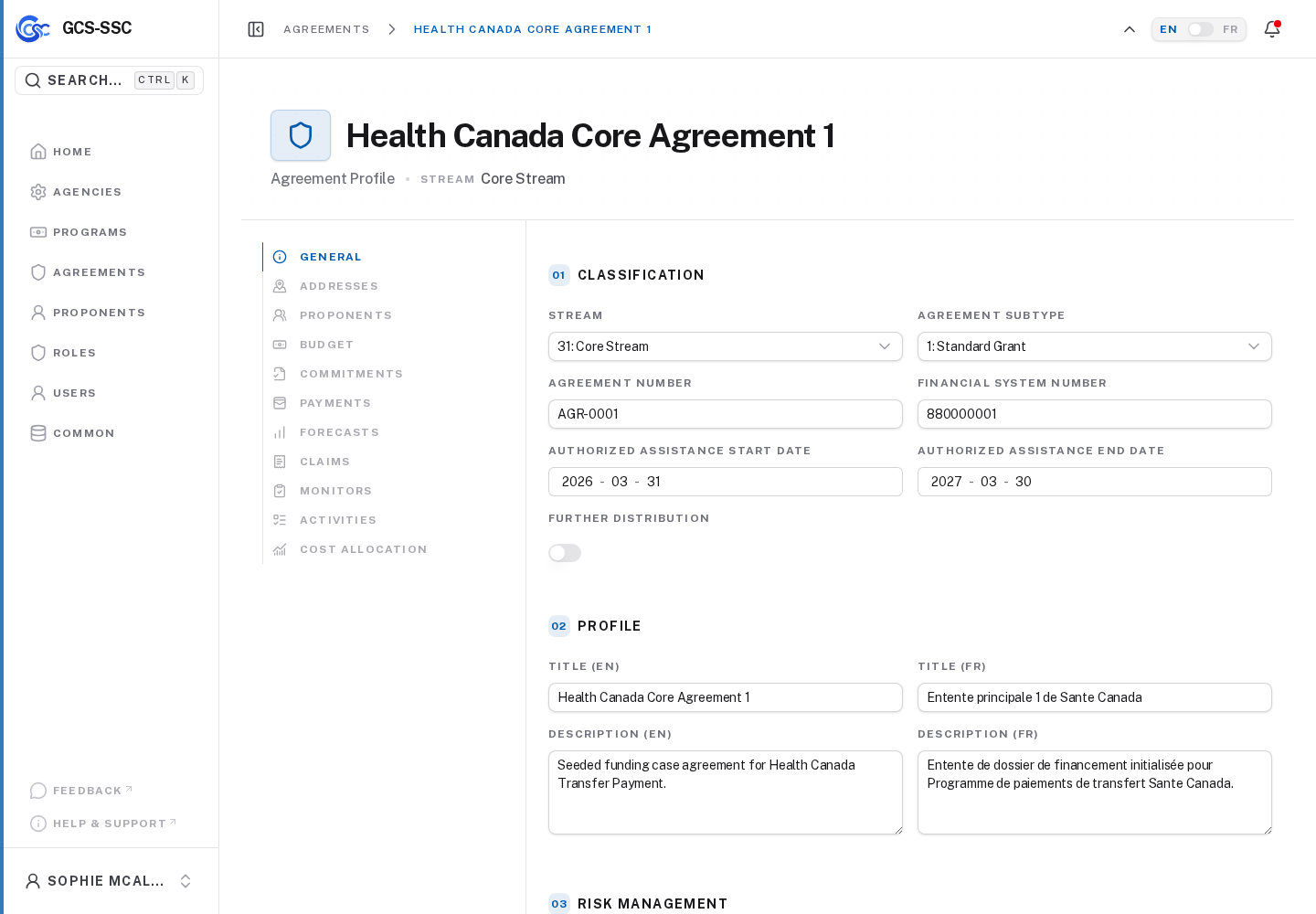
Actual screenshot from the seeded development environment. The records shown are examples only and are not created in a fresh installation.