Agencies
Agencies are the administrative root for most business configuration. Programs belong to agencies, many reference lists are agency-owned, and scoped RBAC checks use agency ids to decide what a user can see or change.
List page
The Agencies page supports search, status filtering, pagination, column controls, row selection, and create/update modals. The hero shows total agencies and active agency count when available.
Creating or updating an agency captures bilingual profile information, abbreviations, status, GWCOA number, and external financial system id. Deletes are soft deletes. Deleted agencies disappear from normal active lists, while dependent records continue to reference historical ids.
Detail page
The agency detail page uses a vertical tab layout:
- General
- Programs
- Cost Categories
- Fiscal Years
- Address Types
- Applicant/Recipient Subtypes
- Approval Behalf
- Agreement Types
- Extensions
Administrators can link directly to a tab.
General tab
General displays the bilingual profile, abbreviations, GWCOA linkage, financial system id, and lifecycle status. The edit action opens the agency modal. Treat the agency id and financial links as integration-sensitive data: changing them after programs and agreements exist can affect reconciliation and reporting.
Programs tab
Programs lists transfer payment profiles owned by the agency. Users with transfer_payment:create in that agency can create a program directly or use the program wizard. The tab fixes the agency id so new programs are attached to the current agency.
Programs are the parent of streams. Most agreement configuration happens at stream level, so the agency should have fiscal years, cost categories, and core reference data before programs are opened for production use.
Cost Categories
Cost Categories define financial buckets. Each category can be expanded to manage line items. These line items feed agreement budgets, commitments, payments, claims, and cost allocation logic. Create categories before configuring stream cost line items or agreement financial workflows.
Fiscal Years
Fiscal Years store a display label and numeric fiscal year. They are referenced by program and stream budgets, agreement forecasts, commitments, payments, claims, and monitoring records. Create the full fiscal-year range for a program before entering budget records.
Address Types
Address Types classify addresses used by proponent and agreement records. They are bilingual reference values and should be stable. Rename carefully because users may interpret historical addresses through the current label.
Applicant/Recipient Subtypes
Applicant/Recipient Subtypes classify proponent records and include an applicant/recipient type plus bilingual name and description. Proponents can only use subtypes that belong to their selected lead agency.
Approval Behalf Types
Approval Behalf Types describe cases where a user approves on behalf of another person. The require actual flag controls whether additional details must be collected. Configure these before production approval workflows require delegated approvals.
Agreement Types
Agreement Types classify agreement records by an agreement type enum and bilingual label. Create them before agreement operators begin creating agreements for the agency.
Extensions
The Extensions tab lists registered extensions and whether each is enabled for the agency. Enabling an extension runs its migrations. Disabling an extension also disables that extension for all streams under the agency. Stream-level configuration is available only for agency-enabled extensions.
Dependency order
For a new agency, use this order:
- General profile.
- Fiscal Years.
- Cost Categories and line items.
- Address Types.
- Applicant/Recipient Subtypes.
- Agreement Types.
- Approval Behalf Types.
- Extensions at agency level.
- Programs.
- Program streams and stream-level setup.
This order gives downstream program, proponent, and agreement pages complete lookup data from the beginning.
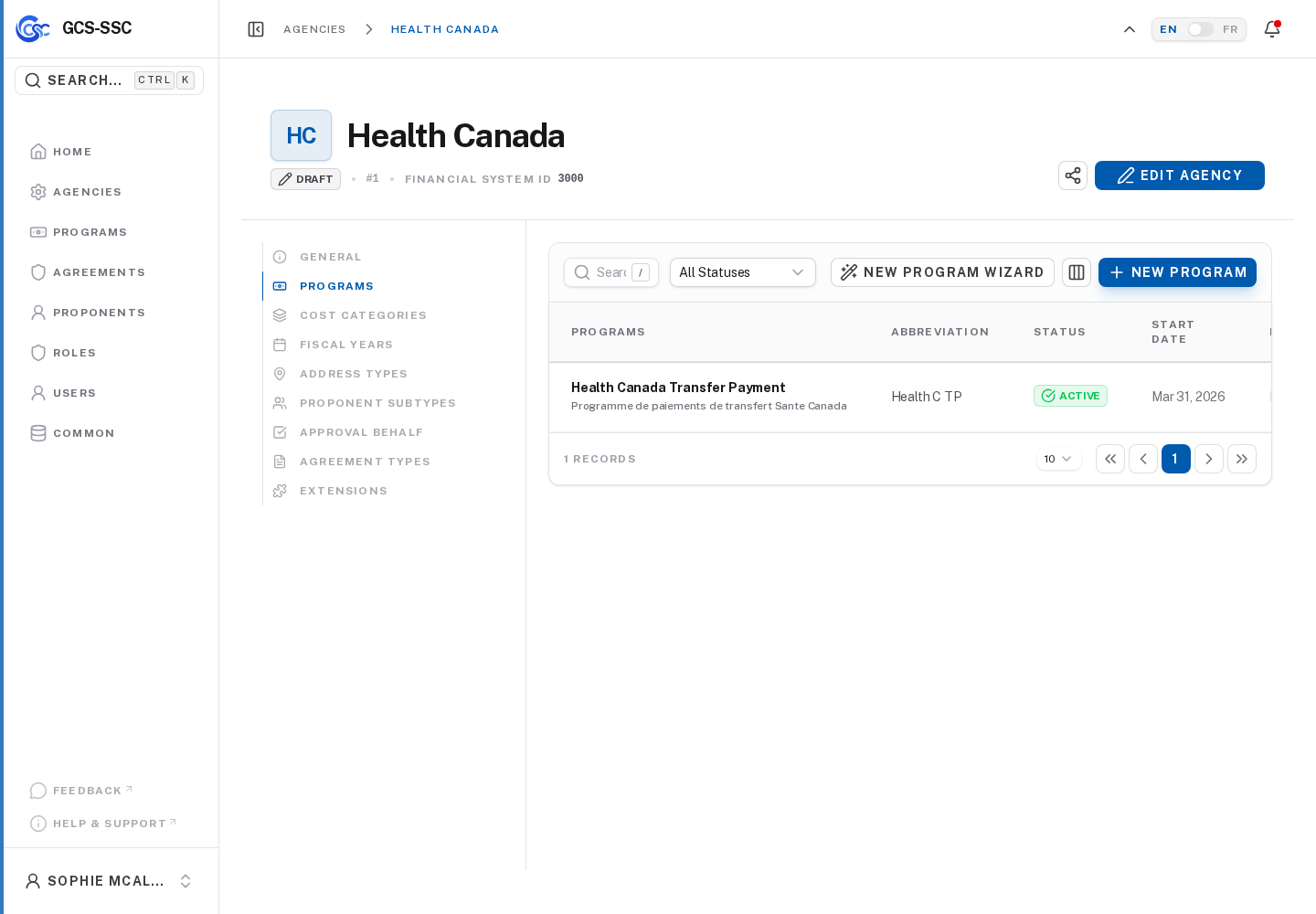
Actual screenshot from the seeded development environment. The records shown are examples only and are not created in a fresh installation.