Navigation
GCS-SSC uses a dashboard shell with a left sidebar, a top navbar on each page, breadcrumbs on detail pages, and tabs inside complex records. The shell is not a static menu: it reflects the signed-in user's abilities.
Sidebar visibility
- Home opens the dashboard.
- Agencies opens agency profiles and agency-owned reference data.
- Programs opens transfer payment profiles and stream configuration.
- Agreements appears only when
agreement:readexists in any allowed scope. - Proponents appears only when
applicant_recipient:readis granted. - Roles opens RBAC role management.
- Users opens user and assignment management.
- Common Admin appears only when the user has
all:readat global/root scope. - Feedback and Help are visible secondary links in the current shell, but they point to template links and are not implemented help workflows.
Authorization is still enforced even when a button or page link is hidden. Hidden controls help users avoid unavailable actions, but roles remain the source of truth.
Page patterns
List pages provide search, pagination, optional status filters, column controls, and row actions. Create buttons appear only when the current user has create access for the relevant subject and scope.
Detail pages usually contain:
- A collapsible hero summary.
- Breadcrumbs back to the parent list.
- Vertical tabs for sections.
- A tab content area with forms, tables, or runtime components.
- Edit, add, delete, save, and cancel actions only when allowed.
Tab URLs
Many detail pages store the selected tab in the URL. This allows direct links into sections such as an agency's Fiscal Years tab, a role's Abilities tab, or a proponent's Team tab. When switching locales, tab state resets safely if the localized page cannot carry the same section.
Localized URLs
The app uses prefixed URLs:
- English pages live under
/en/.... - French pages live under
/fr/.... - Some French pages have translated path segments, such as
/fr/agences,/fr/utilisateurs,/fr/promoteurs, and/fr/admin/commun.
In operation, tell users to bookmark localized URLs so they return to the expected language.
Troubleshooting navigation
If a page is missing from the sidebar, verify the user's active assignments from the user detail page and confirm that the assigned role has the correct action, subject, and scope. If the page link appears but an action is denied, the role may allow list visibility but not create, update, or delete in the specific agency or program scope.
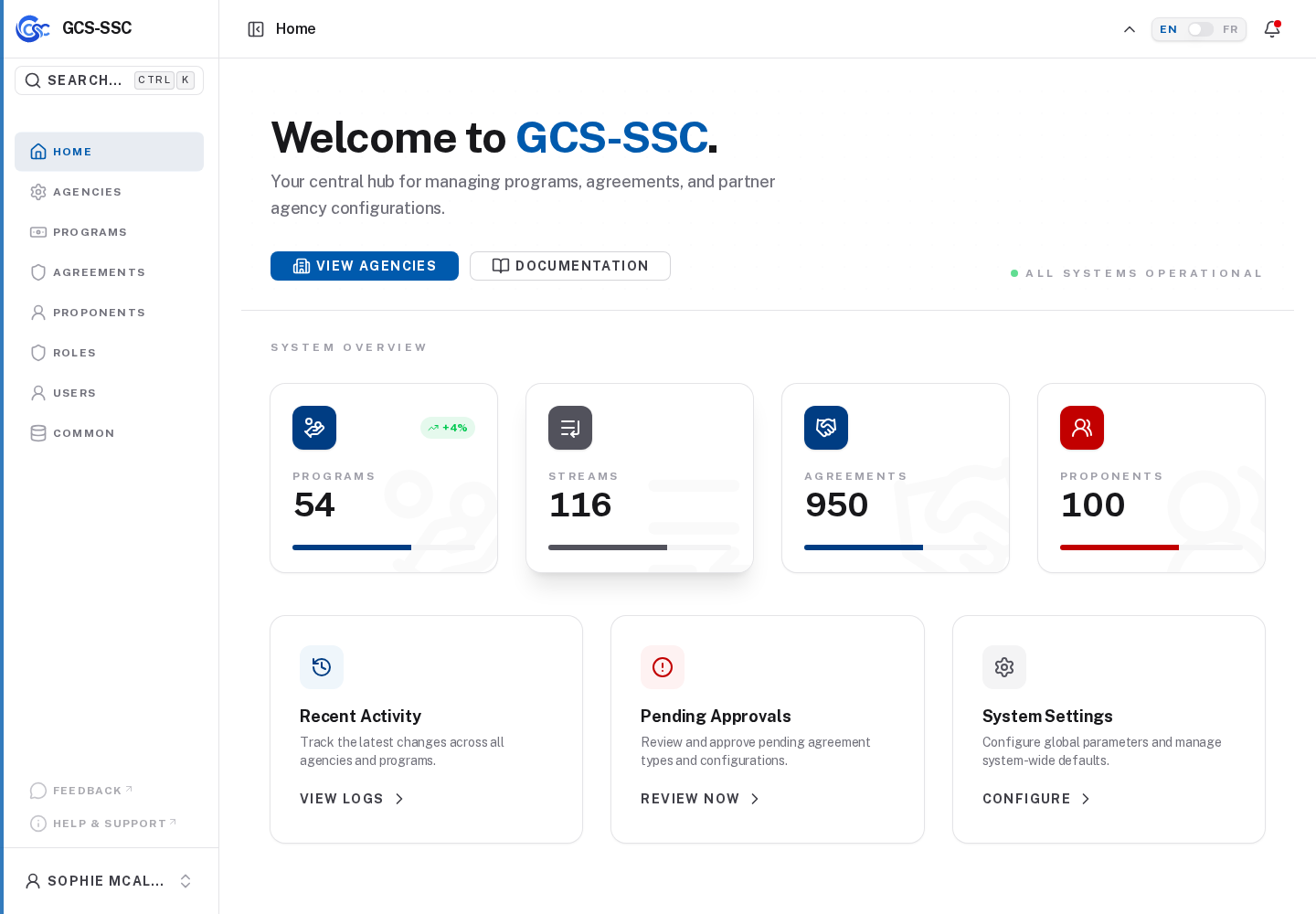
Actual screenshot from the seeded development environment. The records shown are examples only and are not created in a fresh installation.