Users
The Users area manages application identities and their role assignments. A user alone does not grant access; access comes from active role assignments and the abilities contained in those roles.
User list
The Users page supports search, pagination, and summary counts. Root or global user readers see all active users. Agency-scoped user readers see themselves, users assigned to allowed agencies, and users with entity assignments in allowed agencies. Deleted users are excluded from normal lists.
The table shows avatar, name, email, and actions. Create is shown only with user:create. Delete is shown only with user:delete. Deleting a user soft-deletes the user.
User detail
The user detail page contains:
- General, showing identity fields such as name, email, email verification status, image, and timestamps.
- Assignments, showing active role assignments with localized role and agency labels.
The hero displays the user's name, email, avatar, and verified/unverified status. Editing identity fields is separate from role assignment.
Assigning roles
Open the Assignments tab and use Add to assign a role. The role picker only offers roles the current administrator can see. Labels include role name plus scope context, such as global, agency, or program, to disambiguate duplicate role names.
When a role is assigned:
| Rule | Behaviour |
|---|---|
| Target user must be active | Deleted users cannot receive new active assignments. |
| Role must be active | Deleted roles cannot be assigned. |
| Global roles require global user update access | Administrators without global user update access cannot assign global roles. |
| Agency and program roles require access to the role's agency | Administrators must be allowed to update users in the target agency. |
| Duplicate active assignment is not created | Saving the same active user-role pairing reuses the existing assignment instead of creating another one. |
Deleting an assignment soft-deletes the assignment row. The user's permissions change after their session permissions refresh or they sign in again.
Root user handling
Keep the root assignment narrow and auditable. Root should be used for system setup, Common Admin, extension enablement, and emergency repair. Routine program, agreement, and proponent work should be performed with scoped roles so the sidebar and available actions match operational responsibilities.
Troubleshooting access
If a user cannot see a page:
- Check that the user is not deleted.
- Check that the assignment is active.
- Check that the role is not deleted.
- Check that the role has the correct action and subject.
- Check that the role scope covers the agency, program, or entity being opened.
- Have the user sign out and sign in if their visible permissions still look stale.
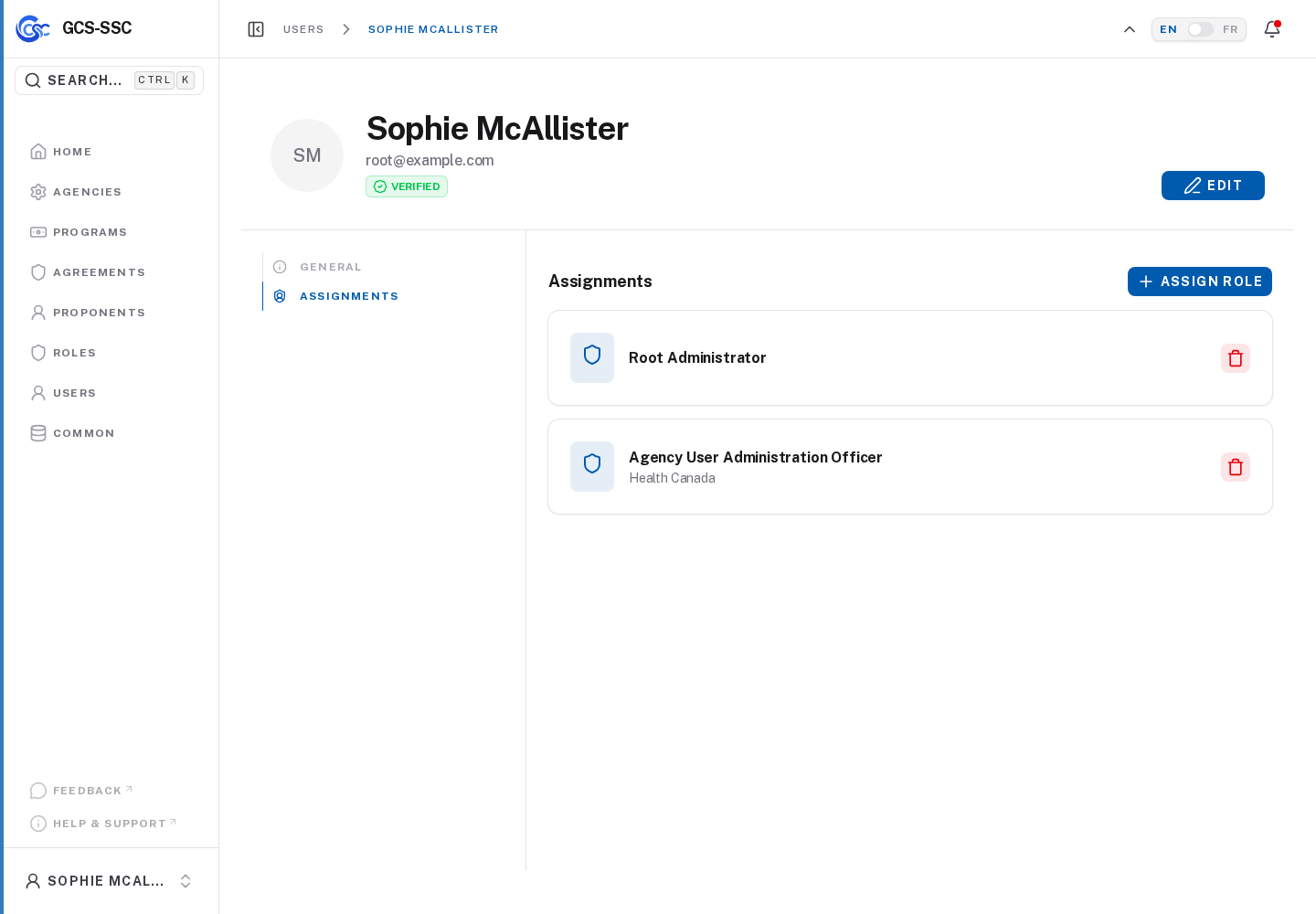
Actual screenshot from the seeded development environment. The records shown are examples only and are not created in a fresh installation.