Roles
Roles define the action, subject, and scope combinations that become user permissions. The app enforces role rules both in visible controls and when actions are saved, so a role must be internally consistent before it can be used.
Role list
The Roles page supports pagination and search. Root and global role readers see all roles. Agency-scoped role readers see global roles and roles in their allowed agencies. The table includes bilingual role names, descriptions, agency context, abilities, and selected program ids where applicable.
Users with create access can open the role modal. Users with update access for a role's scope can edit it. Deletes are soft deletes.
Scope selection
A role can be:
- Global: no agency selected.
- Agency-scoped: an agency selected and no program ids selected.
- Program-scoped: an agency selected and one or more transfer payment programs selected.
The form only offers the global option when the current user can create roles at global scope. Program selection appears only after an agency is selected. Program options are loaded from transfer payments filtered to the selected agency.
Scope business rules
Effective scope is derived from role structure:
| Role structure | Effective scope |
|---|---|
| No agency selected | Global |
| Agency selected and no programs selected | Agency |
| Agency selected and one or more programs selected | Program |
The app rejects program-scoped roles without an agency. It also rejects selected programs that do not belong to the role's agency.
Ability rules
Abilities are action/subject pairs. Actions are create, read, update, and delete. Subjects include all, agency, transfer payment, role, user, applicant/recipient, and agreement.
Scope limits which subjects can be assigned:
| Rule | Behaviour |
|---|---|
all abilities are global only | They cannot be assigned to agency or program roles. |
agency abilities are not program-scoped | They are allowed on global or agency roles. |
| Other subjects follow workflow scope | They can be used on global, agency, or program roles when the business workflow supports that scope. |
The role detail Abilities tab filters to allowed abilities for the role's current scope. If a user attempts an invalid ability toggle, the app shows a scope mismatch error and does not save the invalid ability.
Detail tabs
The role detail page contains:
- General, showing bilingual names, descriptions, agency, and scope context.
- Abilities, showing toggle cards for allowed abilities.
Toggling an ability saves the role immediately. Updating the role's scope also saves the full program selection so scope cannot be accidentally lost.
Recommended role design
Use a small number of durable role patterns:
- Root Administrator: global
allpermissions for trusted system operators only. - Agency Administrator: agency, user, role, proponent, program, and agreement permissions scoped to one agency as needed.
- Program Manager: transfer payment and agreement permissions scoped to selected programs.
- Agreement Operator: create/update agreement and child workflow records in a program or agency scope.
- Reviewer or Approver: read/update only the review, assessment, or agreement areas required by the process.
- Read-only Analyst: read access with no create/update/delete abilities.
Avoid creating many near-duplicate roles. Prefer a role per job function and scope it through assignment.
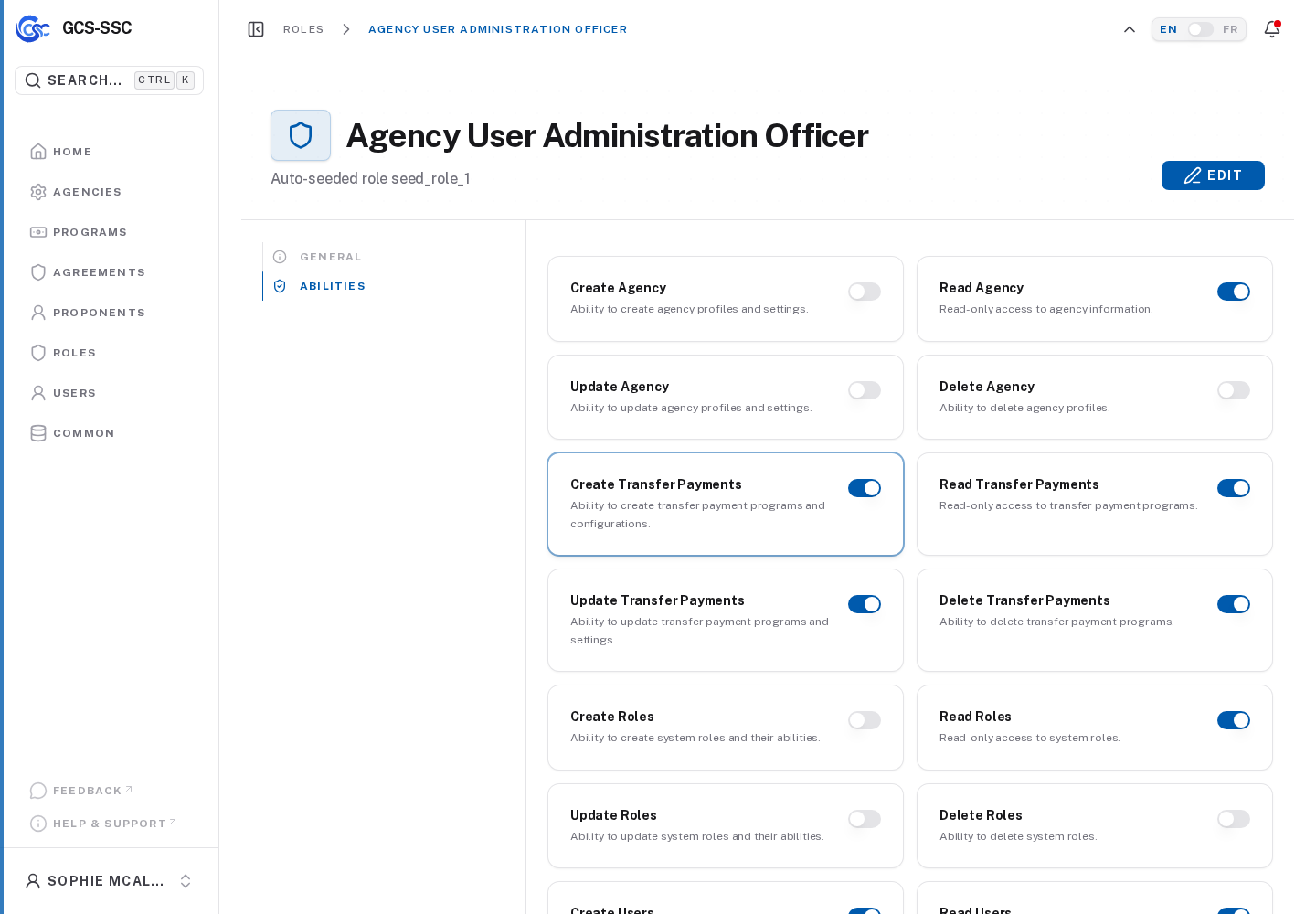
Actual screenshot from the seeded development environment. The records shown are examples only and are not created in a fresh installation.